

Customer support is changing fast as businesses turn to smarter, faster solutions. AI-powered knowledge bases have become a must-have for companies that want to help customers around the clock without hiring more staff. With the right approach, building and managing these systems can bring in a steady monthly income that reaches $5.6K or more.
Automation trends are driving companies to streamline support, cut costs and boost satisfaction. People who can build effective AI solutions are now in high demand, opening new income streams for tech-savvy entrepreneurs. This guide breaks down how you can tap into this growing market and turn your skills into real earnings.
Understanding AI-Powered Knowledge Bases
AI-powered knowledge bases are changing the way companies support customers. These systems combine large data sets, automatic learning, and AI-driven search tools to provide fast, reliable answers any time, day or night. Let’s look closer at what makes these powerful support engines tick and why businesses can’t afford to ignore them.
What Is an AI-Powered Knowledge Base?
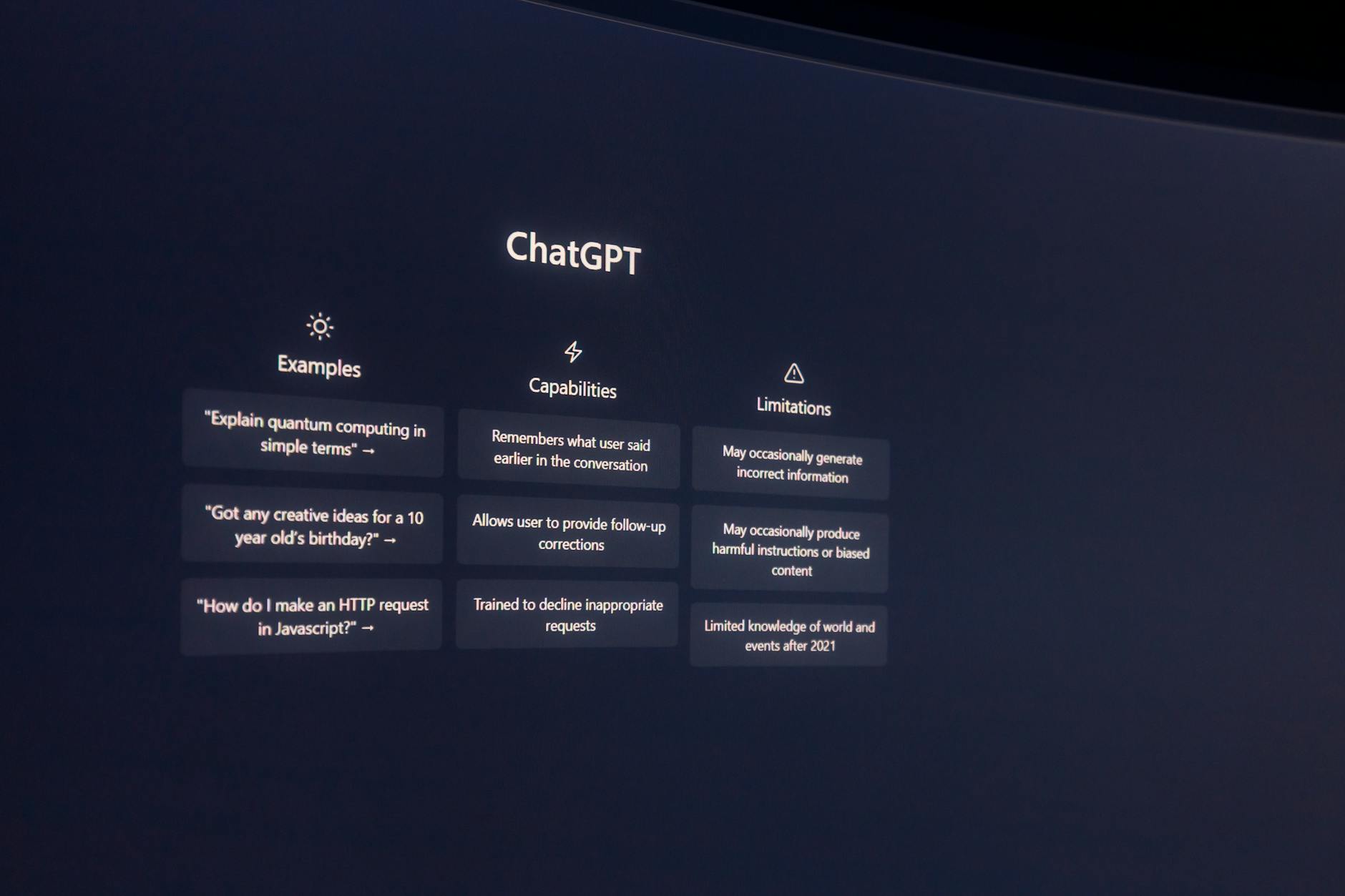 Photo by Matheus Bertelli
At its core, an AI-powered knowledge base is a smart library. It uses artificial intelligence to collect, organize, and pull relevant information from countless sources, including web pages, PDFs, emails, and help docs. Here’s how these systems usually work:
- AI Models: AI models, such as those based on natural language processing, power the knowledge base. They let the system “understand” questions, just like a human might.
- Data Ingestion: The knowledge base scoops up data from sources like manuals, chat logs, email conversations, and FAQs, turning unstructured information into useful answers.
- Search Capabilities: AI search tools help users find the right answers quickly, even for complex, context-specific questions.
- Continuous Learning: Every time someone asks a question, AI learns from it. The system gets smarter, fixing errors and improving responses over time.
For a deep dive into the basics and behind-the-scenes magic, check out this detailed guide on AI knowledge bases.
Key Benefits for Customer Support Teams
Adding an AI-powered knowledge base to customer support delivers clear results. Let’s break down the most important benefits for any support team looking to step up their game:
- Cost Savings: Support teams can handle higher volumes without hiring more staff, which leads to substantial savings and makes the service much more scalable. Learn more about cost savings with AI in customer service.
- 24/7 Support: AI doesn’t sleep. Customers can get help at any time, boosting satisfaction without burning out your staff.
- Improved Resolution Time: With instant search and smart answers, customers don’t have to wait for help. This reduces frustration and builds loyalty. Read more about AI’s impact on resolution times and service efficiency.
- Scalability: As your business grows, your AI-powered knowledge base scales up with you, without the usual headaches of expanding a human-only team.
Teams can expect more satisfied customers, lower costs, and faster issue resolution—all of which are essential for any modern business aiming to thrive. If you want to see how these benefits translate into earning potential for entrepreneurs, Techsaaz’s step-by-step approach to earning by managing AI-generated email signature designs gives you a sense of the business opportunities in this space.
Market Opportunities and Profit Potential
Businesses everywhere are racing to streamline customer support, cut costs, and give faster answers using technology. AI-powered knowledge bases are right at the center of this push, opening up big profit chances for those ready to provide smart support tools. Knowing the current market trends, what drives demand, and how revenue models work is key to earning a steady monthly income.
Current Market Demand and Trends
 Photo by MART PRODUCTION
The customer support tech market is breaking records. By 2025, global spending on AI-driven knowledge management systems is forecast to hit $9.6 billion, with projections showing growth up to $251.2 billion by 2034 according to this insightful AI-driven Knowledge Management System Market report. This dramatic rise shows just how much businesses crave smarter, more efficient support.
Some key points fueling demand include:
- Growing automation: More companies are turning to AI for routine support, freeing their humans for complex stuff.
- Always-on customers: People expect quick answers, day and night. Companies need support tools that never sleep.
- Niches in focus: E-commerce, SaaS, healthcare, and even automotive services are searching for tailored AI solutions.
- Small business appetite: It’s not just big brands. Small and medium-sized businesses are jumping in, wanting affordable AI support.
Analysts note that the market shift is driven by immediate ROI, reduced labor costs, and better customer happiness. In short, it’s a perfect storm for new business. For a practical look at what goes into modern AI-powered knowledge projects, you can check out this comprehensive guide to AI knowledge bases.
How AI-Powered Knowledge Bases Generate Revenue
If you’re thinking about how to reach $5.6K a month, these projects offer flexible ways to get paid. Whether you want steady monthly income or large one-time payments, there’s a model for you.
Here are the most popular ways these services generate money:
- One-time builds: Charge a set fee for designing and setting up a custom AI knowledge base. Many businesses pay thousands up front for a working solution.
- Subscription services: Offer ongoing updates, data training, and feature improvements for a monthly or annual fee. This builds steady, repeatable revenue and strengthens client relationships.
- Support retainers: Some clients need hands-on help or custom support. Monthly retainer fees cover troubleshooting, content updates, and technical checks.
Seasoned service providers often layer these models. For example, they might bundle an up-front build with a lower-cost monthly support package. Combined, just a handful of small-to-midsize clients can easily bring in $5,600 or more per month, once you move past the setup phase.
For a full breakdown of how you can package services, pitch value, and build long-term income, Zendesk’s guide on business value from AI-powered knowledge bases is a smart resource.
Understanding these profit models puts you a step ahead, letting you build a support business that’s both profitable and in-demand.
Steps to Build and Launch AI-Powered Knowledge Bases
Building a profitable side business with AI-powered knowledge bases isn’t just about knowing tech; it’s about blending the right skills, winning clients, and delivering reliable results. Here’s a step-by-step look at what it takes to start, land your first clients, and create high-value solutions that keep customers coming back.
Essential Skills and Tools Required
To succeed, you need both technical know-how and business smarts. Here’s what tops the list:
Technical skills:
- Basic programming (Python is handy, but not always required)
- Understanding of AI concepts (machine learning, NLP, chatbot integration)
- Experience with cloud platforms (AWS, Google Cloud, Azure)
- Data cleaning and structuring (making sense of messy client info)
- API integration (connecting different SaaS and support apps)
Business and project skills:
- Clear communication (explaining AI in simple terms to clients)
- Project management (keeping builds on time and on budget)
- Client onboarding and support experience
Recommended AI platforms and tools:
- OpenAI for language models and quick chatbot setup
- ChatGPT for automating answers and learning from interactions
- Zapier or Make for workflow automation
- Notion AI or Guru for easy knowledge base setup
- Zendesk, Freshdesk, or Intercom for integrating AI into existing support channels
Get familiar with templates and setup guides provided by these tools. For hands-on advice on startup stacks and AI automation software, check out this useful list of 15 top AI tools for small business.
Finding Clients in Need of AI Knowledge Bases
Targeting the right businesses helps you fill your calendar fast. Small and medium-sized businesses (SMBs), ecommerce stores, SaaS providers, and solopreneurs struggle with repetitive support questions and want low-cost, scalable help.
Where to look:
- LinkedIn company pages focusing on SaaS, ecommerce, or tech startups
- B2B forums, such as Indie Hackers or SaaStock community boards
- Facebook groups or Slack channels for founders and support teams
- Local business meetups and networking events
How to attract and reach out:
- Create a short, results-focused cold email or LinkedIn pitch. Highlight real results and the cost and time savings.
- Offer a free audit or demo for their current support setup.
- Share mini-case studies or before-after examples on your website and social media.
- Engage with client posts—don’t just pitch. Add helpful advice on AI automation to spark interest.
Winning your first few clients often comes from referrals. Deliver strong value early on, and ask satisfied customers for introductions.
Designing and Training the Knowledge Base
A solid AI knowledge base is built on well-structured information and ongoing smart training. Every project will be slightly different, but these basics apply:
- Map common questions: Start by listing top customer queries, pain points, and product info that customers always need.
- Organize content: Group answers and resources clearly by topics or workflows. Easy navigation is key—think like your end user.
- Feed the AI: Upload your FAQs, help docs, chat logs, and product info. Clean up duplicate or outdated details.
- Integrate with AI models: Use GPT-based solutions to understand natural language queries, not just keyword matches.
- Test and improve: Run real-world questions, track answers, and update regularly. AI gets smarter with feedback and corrections.
Stick to simple language and avoid jargon. A knowledge base that’s too complex will confuse both the AI and real users. Regularly review analytics to spot any “dead ends” or inaccurate answers. For more best practices on content structure and continuous training, HubSpot’s guide on how to create an effective knowledge base is packed with actionable steps.
Deployment, Maintenance, and Upselling
Launching is only the start. Ongoing support and smart business offers can turn a single build into recurring income.
Deployment tips:
- Integrate the knowledge base smoothly with client sites, help desks, and chat widgets.
- Offer live Q&A testing and staff onboarding so teams feel confident using the tool.
- Document setup, common troubleshooting steps, and how-tos for non-technical users.
Maintenance contracts:
- Schedule regular check-ins to update information, fix gaps, and tune AI responses.
- Offer monthly or quarterly analytics reports showing usage, popular topics, and suggested improvements.
- Respond quickly to fix urgent issues; fast support keeps clients loyal.
Upsell opportunities:
- Suggest advanced features like multilingual support or analytics dashboards.
- Offer additional training sessions or mini-courses for new client staff.
- Propose migrating/supporting other departments (sales, onboarding, HR) as your results speak for themselves.
Successful service providers set up a “care plan” after launch, bundling maintenance with new upgrade offers. This approach builds trust and multiplies your monthly earnings. Looking for proven strategies on long-term client management? The tips found in this tutorial on building recurring revenue models around SaaS services apply perfectly here.
 Photo by Mikael Blomkvist
Focusing on these steps makes the difference between a hobby and a consistent $5.6K/month service. Each stage keeps you moving toward reliable results and happier clients.
Scaling to $5.6K/Month and Beyond
Hitting your first $5.6K month is a big deal, but keeping that momentum and growing even more takes a smart, repeatable system. Once you have a few clients and strong projects running, it’s time to think bigger: streamline your work, scale up your impact, and lock in income that doesn’t need all your time.
Automation and Delegation for Growth
 Photo by cottonbro studio
Scaling starts by removing yourself from routine tasks. You don’t need to do everything by hand. The best way to multiply your results is by letting automation and the right people do the heavy lifting:
- Automate regular updates: Use AI tools to automatically gather support tickets or capture user feedback, then train your knowledge base with these real questions. Platforms like Generative AI automation for knowledge management offer workflows that update help docs, assign follow-ups, and monitor for outdated info—without you lifting a finger.
- Set up notifications and triggers: Services like Zapier or Make can flag client needs or system errors right away, reducing response times and improving satisfaction.
- Delegate content reviews: Hire freelance writers or junior team members to review and refresh content. They can proofread, clean up old answers, or add new how-to guides as client products change.
- Use managed services: When technical tasks or server upkeep get complex, pass these to managed IT services. This is cost-effective and lets you focus on growing your client list and building relationships.
By combining automation with smart delegation, you keep the engine running—even when you’re not personally in the driver’s seat. For a deeper look at how automation transforms knowledge base upkeep, this guide to AI and automation in knowledge management is packed with tips.
Strategic Pricing and Recurring Revenue Models
Your income doesn’t just depend on landing new clients. How you price and package your services matters just as much. Instead of guessing, use a mix of proven models to lock in long-term profits:
- Project-based fees: Start with a flat fee for setup and onboarding. This covers your time and expertise to get each knowledge base customized and ready.
- Subscription models: Offer ongoing support, updates, and maintenance for a monthly rate. Even if clients never need hands-on help, you’re paid to keep the system healthy and accurate.
- Retainers: For bigger clients or those with more needs, pitch a monthly retainer. This covers proactive monitoring, analytics reports, or regular training updates. It turns one-time work into predictable cash flow.
- Value-based pricing: Instead of billing just by the hour, set prices based on the cost savings or efficiency you deliver. If your AI system cuts customer support tickets by 30%, highlight that ROI and charge accordingly.
- Tiered packages: Create service levels, like “basic,” “plus,” and “enterprise.” This lets clients upgrade as their needs grow while you upsell features and earn more over time.
Benefits of recurring models include:
- Steady, predictable income each month
- Easier business planning and scaling
- Higher client retention, as subscribers are less likely to shop around
For inspiration on recurring models and service bundling, the approach used for managing AI-generated email signature designs for teams shows how to combine automation, delegation, and value-based packaging for sustainable income.
A mix of automation, smart delegation, and solid pricing isn’t just about working less. It frees you up to serve more clients, deliver higher value, and grow your income well past the $5.6K mark.
Success Stories and Case Studies
It’s easy to talk about earning $5.6K a month with AI-powered knowledge bases, but nothing proves the point like real examples from the field. Let’s look at a few businesses and individuals who have turned this model into a personal success, using the same blueprint laid out in this guide.
From Agency Side Hustle to Main Income
Many entrepreneurs start by offering AI-driven support tools alongside website builds and digital marketing. One former freelance web designer in the UK landed three monthly retainers with local SaaS companies, providing them with custom-built knowledge bases. She charged a flat $2,000 up front per build, then $900 a month for ongoing updates and analytics reports. Within four months, word of mouth brought in two more clients. By month seven, she was easily crossing the $5.6K/month mark. Her clients stuck around because updates and training were built into the subscription, proving that long-term support contracts are key.
Retailer Boosts Customer Resolution with AI
 Photo by Pavel Danilyuk
One regional retailer in India switched from a manual FAQ approach to a fully managed AI-powered knowledge base. After setup, their ticket resolution time dropped by 60 percent, thanks to faster search and clear, structured answers. Not only did they save on headcount, but their satisfaction scores rose sharply. The tech consultant running their system billed $2,500 for setup and $800/month for three brands under ongoing care. By expanding to additional departments, like returns and warranty queries, the consultant’s monthly earnings soon topped $6K.
Agencies Thriving With Bundled AI Solutions
Larger agencies have increasingly packaged knowledge base builds with chatbot automation, as highlighted in the roundup of profitable AI business ideas. One agency in the US built and managed knowledge bases for ecommerce clients. Their stack included OpenAI’s APIs, Zapier automation, and Notion AI. A single agency team handled 10 monthly clients, each paying an average of $650 subscription. Add in setup fees, and the owner cleared $8,000 per month by the end of their first year.
Profit by Niche: SaaS and Healthcare Examples
Niches like SaaS and healthcare are perfect for AI knowledge bases. One SaaS founder built a curated support portal using AI search for three product lines. Each knowledge base brought a new revenue stream from subscription clients, most starting at $1,200 monthly. In healthcare, a consultant worked with four local clinics to introduce AI knowledge bases for staff onboarding and answering patient questions. With maintenance, custom updates, and quarterly analytics, they earned over $7K a month—and kept growing.
For a look at how small businesses turn AI-powered systems into steady profits, Forbes shares several case studies of quick-growth AI support businesses. It’s clear that the right sales approach, clear deliverables, and responsive service are the ingredients for success.
More Real Examples and Inspiration
If you want to see more business owners achieving impressive revenue figures with AI, check the list of niche investment and AI platform success stories. Stories range from solo consultants managing just a handful of clients to small teams scaling to 15–20 accounts using repeatable processes.
It’s not just about having tech skills—the real difference comes from simple packaging, a focus on recurring value, and regular communication. For those interested in blending multiple service streams for solid monthly income, the approach used for managing AI-generated email signature designs for teams offers another great example of how ongoing support services can multiply your earnings.
These stories show what’s possible if you start small, build trust, and use proven systems to grow. Every win comes from real results, not hype—just reliable service, clear pricing, and ongoing care.
Conclusion
Building AI-powered knowledge bases for customer support is a proven path to steady earnings and real impact. Companies want faster answers and smarter service, and those who deliver this value are seeing strong monthly results. Now is the time to position yourself in this market and grow your income with practical, in-demand solutions that support businesses long-term.
If you’re ready for the next step, take a cue from strategies that combine automation and ongoing management—just like the detailed approach highlighted in the guide to earning with AI-generated email signature designs. The future of AI in customer support looks bright, offering anyone with the right skills a stable, growing revenue stream.
Thanks for reading. Share your own wins or questions in the comments—let’s keep the momentum going and help more people succeed with smart, AI-driven support solutions.